Tuesday, 4 February 2014

Setting up the torrent client on Ubuntu/Raspberry pi

In this post, I will show you how to setup transmission torrent client in your Ubuntu/Raspberry pi

What is Bittorrent?

BitTorrent is a protocol used for peer-to-peer file sharing that is used to distribute large amount of data over the internet. It means that the torrent client can download the data from the nearest peer instead of getting the data from a single source server. It can be used to reduce the server and network impact of distributing large files. It can work over networks with lower bandwidth.


Execute the below comments

 Install transmission torrent client

$> sudo apt-get update
$> sudo apt-get install transmission-daemon -y


After successful installation stop the transmission-daemon 


$>  sudo service transmission-daemon stop


Configure the torrent client by modifyint the settings.json file

$> sudo vim /etc/transmission-daemon/settings.json


Modify the below value in the settings.json file

            => "rpc-authentication-required": false
            => "rpc-whitelist": "127.0.0.1, 192.168.0.*"
            => "rpc-port": 9091
            => "rpc-url": "/transmission/"


 Start the transmission-daemon.

$> sudo service transmission-daemon start


Open the web browser type the below URL

<Your Machine IP>:9091/transmission/web/
Eg. 192.168.0.20:9091/transmission/web/


Upload the torrent file or URL to download torrent content

Friday, 24 January 2014

Enable ssh server on Ubuntu

In this post, I will show you how to install and enable ssh on Ubuntu

What is the use of SSH?

Let consider your Ubuntu machine is connected to your home WiFi router. Now you want to access the Ubuntu terminal in your Windows machine which is also connected to WiFi router.

By default in Ubuntu SSH server is not installed. So you have to install the openssh package. Once you install the openssh package it automatically enables the ssh server on your Ubuntu machine.

Execute the below comments


Install the openssh package

$ sudo apt-get install openssh-server -y


After successful installation restart the ssh service 


$ sudo /etc/init.d/ssh restart


If you want to change the default settings, such as the default port. edit the /etc/ssh/sshd_config file:

$ sudo vim /etc/sshsshd_config


To check the ssh, go to your windows machine run putty.exe


Connect to your Ubuntu machine through ssh.

Sunday, 22 September 2013

Know More About Raspberry pi


What is the Raspberry Pi?

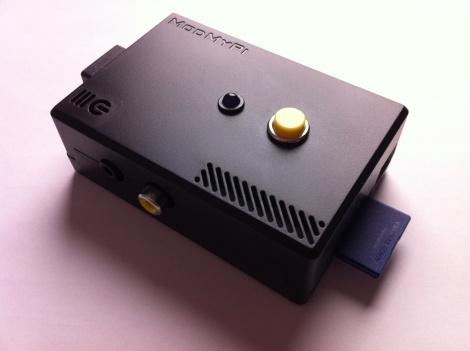
Raspberry Pi is a small computer with the components mounted on a credit card sized motherboard, running a dedicated version of Linux.Capable of offering basic office computing, low-level gaming, Internet and email access, media playback and many other features regularly expected from a computer in the 21st century, the Pi achieves all of this with a stripped-down component count, an ARM processor and a very low price. Costs are kept so low by selling the computer without cables, storage or a case.


Alternatives to Raspberry pi

  • BeagleBone Black : The BeagleBoard is a low-power open-source hardware single-board computer designed with open source software. It came late to the market compare to raspberry pi. But it is more powerful than raspberry pi.
  • ODROID: a slightly bulkier computer with the same processor as a Samsung Galaxy S3 smartphone. This runs Android and Ubuntu operating systems.
  • Gooseberry: currently unavailable, this device runs Android and is a little larger than the Raspberry Pi

Look at inside the Raspberry pi

For such a small device you would probably except the spec of the Pi to be low  But this device isn't to stripped back that you won't be able to gain some use from it.

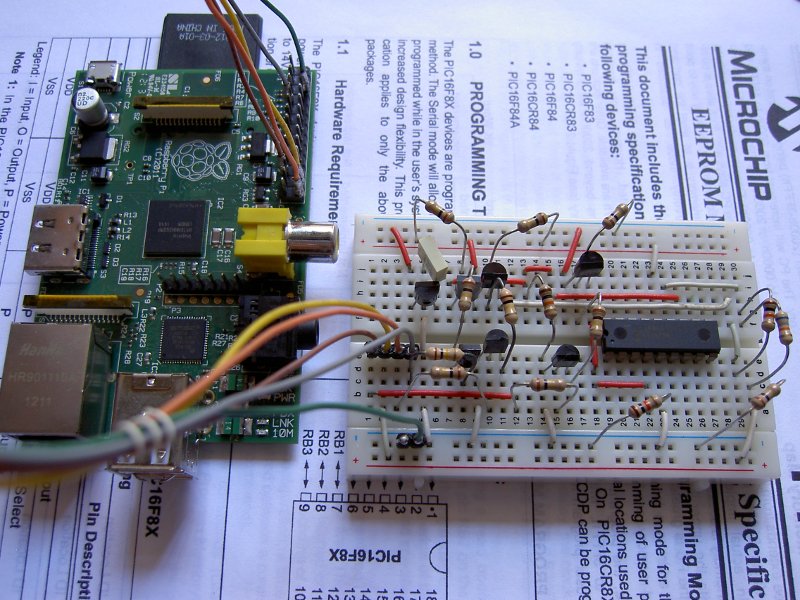
It has a ARM processor which clocks at speed of 700MHz with 512MB RAM more than enough to run embedded software. USB, Ethernet, HDMI, RCA and 3.5mm audio ports.

It has two version Model A and Model B. Model B is a updated version of the initial raspberry pi (Model A) with more RAM size and USB ports.

Some components, such as storage, are left to the Pi’s buyer to deal with. Cables and even the device’s case are not included when you purchase one of these devices new.


See the full spec of the raspberry pi

Some useful application of Raspberry pi

  • Plug & Play Computer
  • Small personal web server
  • Media play center(XMBS)
  • Home Security System
  • Personal Cloud Storage.
  • Surveillance web camera
Actuall the possibility is endless. People making raspberry pi as most powerful application oriented devices.

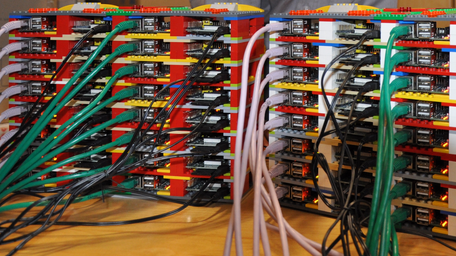
Check out the Some of awesome  Raspberry pi projects.